Qyveno in just over a minute
Read what is said in the video (translated from Dutch)
Do you keep track of who does what with Excel lists, scattered emails and a whiteboard? It can be calmer. This is Qyveno.
All your jobs on one board: who does it, when it is due and where it stands. One click, and everyone sees the new status.
The conversation lives with the job itself. No more emails getting lost: updates, photos and files are all in one place.
Leave recurring work to a rule. You read it like an ordinary sentence. When a job is set to Done, it moves on by itself and the planner gets a heads-up.
And if you have a question, just ask Kompaan, your assistant. It looks things up in your boards and only sees what you are allowed to see. You can also have it do something, like change a status. It prepares the change, and it only happens after your click.
Qyveno. In Dutch, with your data in Europe. Try it free for 14 days, in your own trial environment. You can find us at qyveno.nl.
Boards
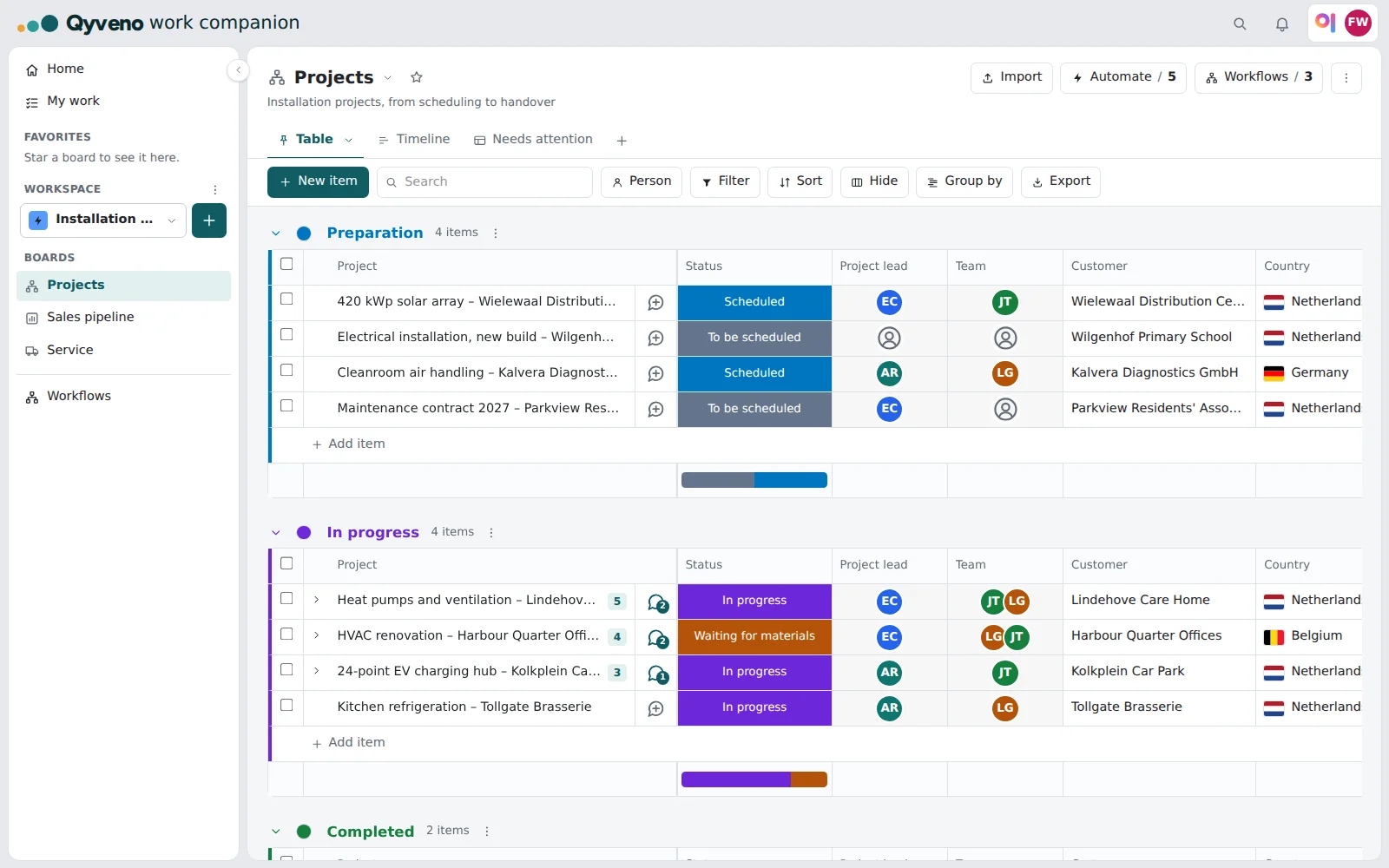
Boards for projects, sales or service, with statuses, people, dates and tasks.
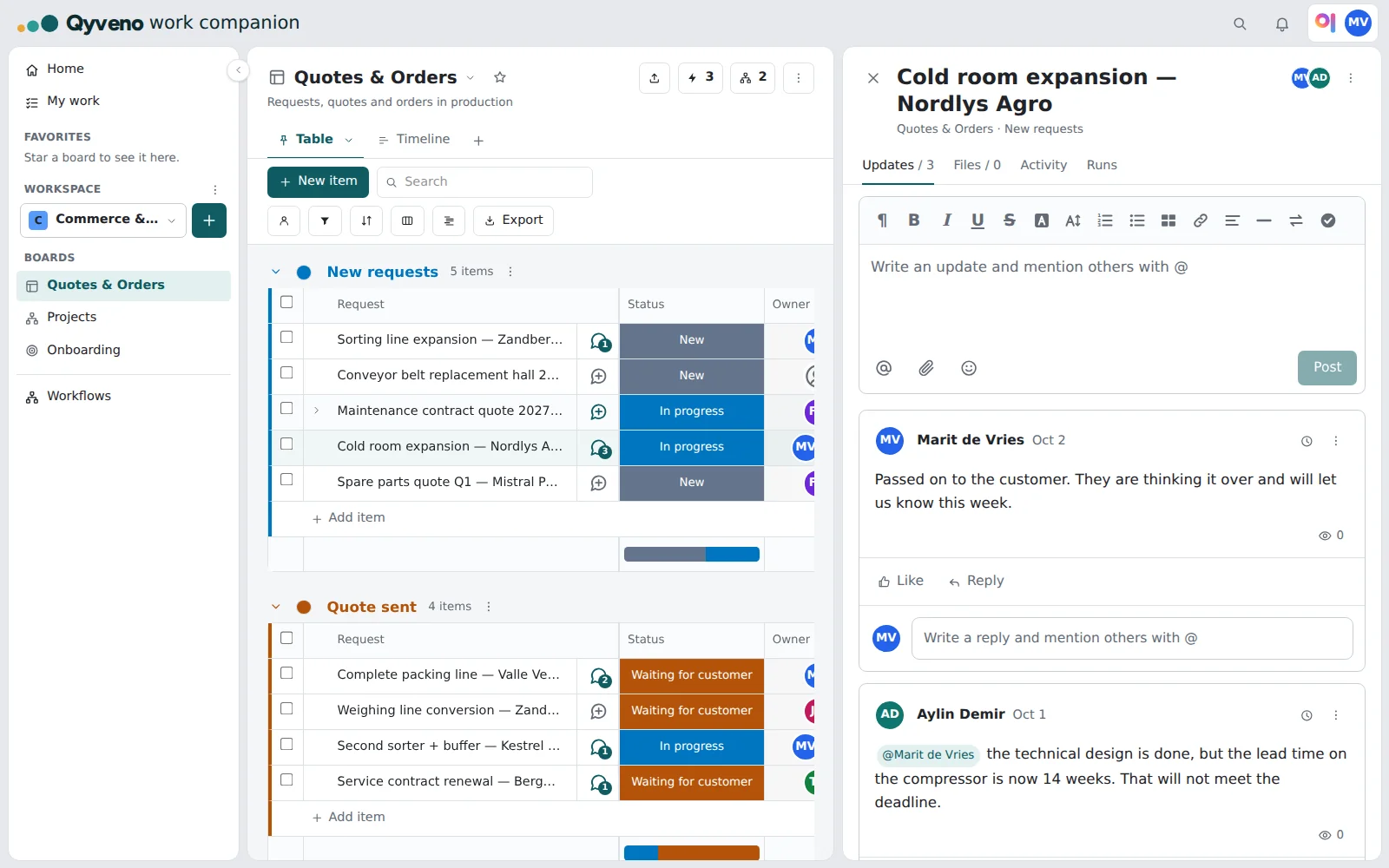
Communication on the item
No more internal email: the conversation lives on the item itself, with updates, @‑mentions and attachments. That brings calm.
- Everyone finds all the information about an item in one place.
- Taking over a task is easy: the whole conversation comes with it.
- No more emails getting lost in someone's mailbox.
Planning
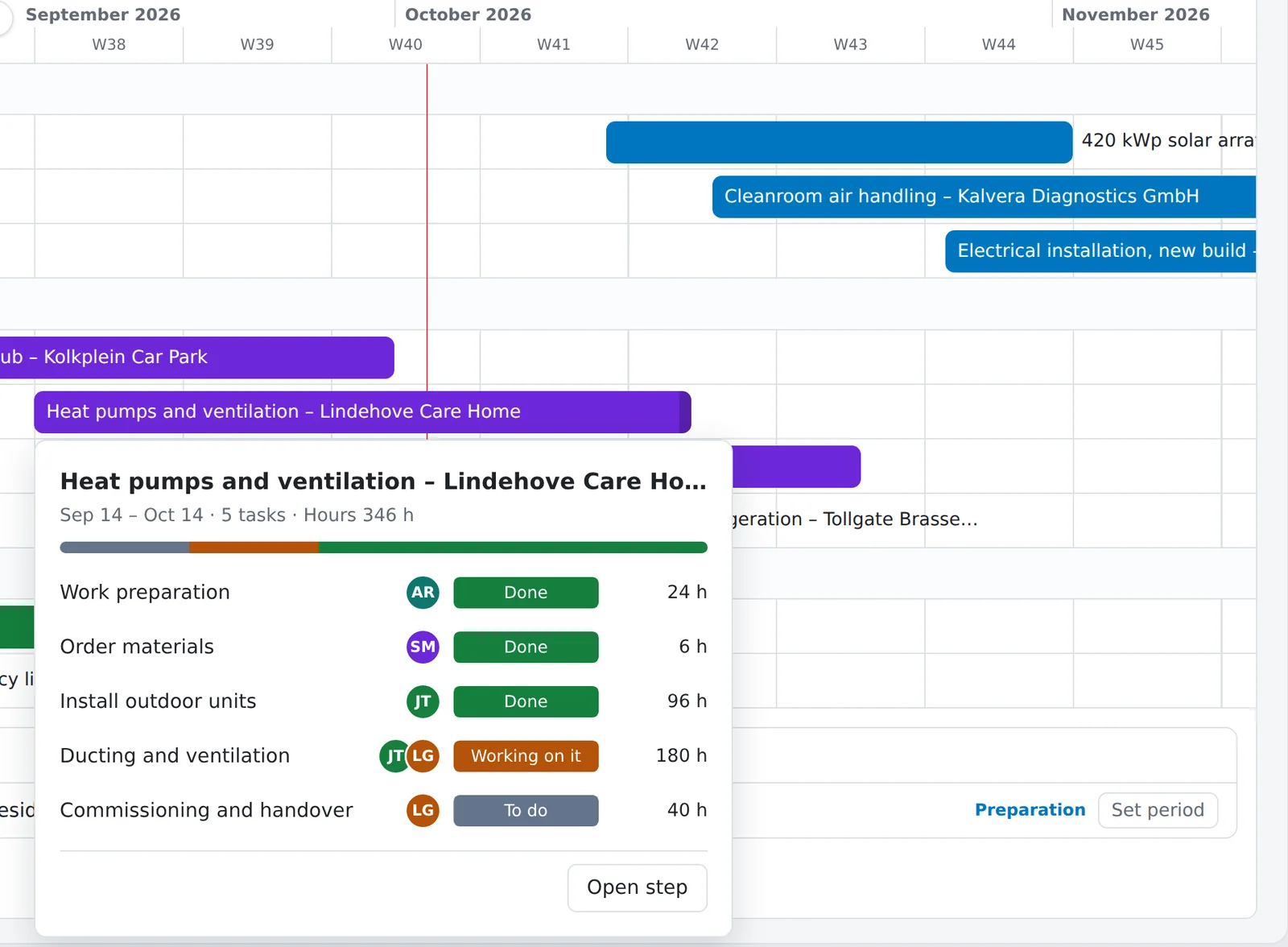
A planning view (Gantt) with dependencies and milestones. Click a step and you see the tasks with status and hours.
Automations
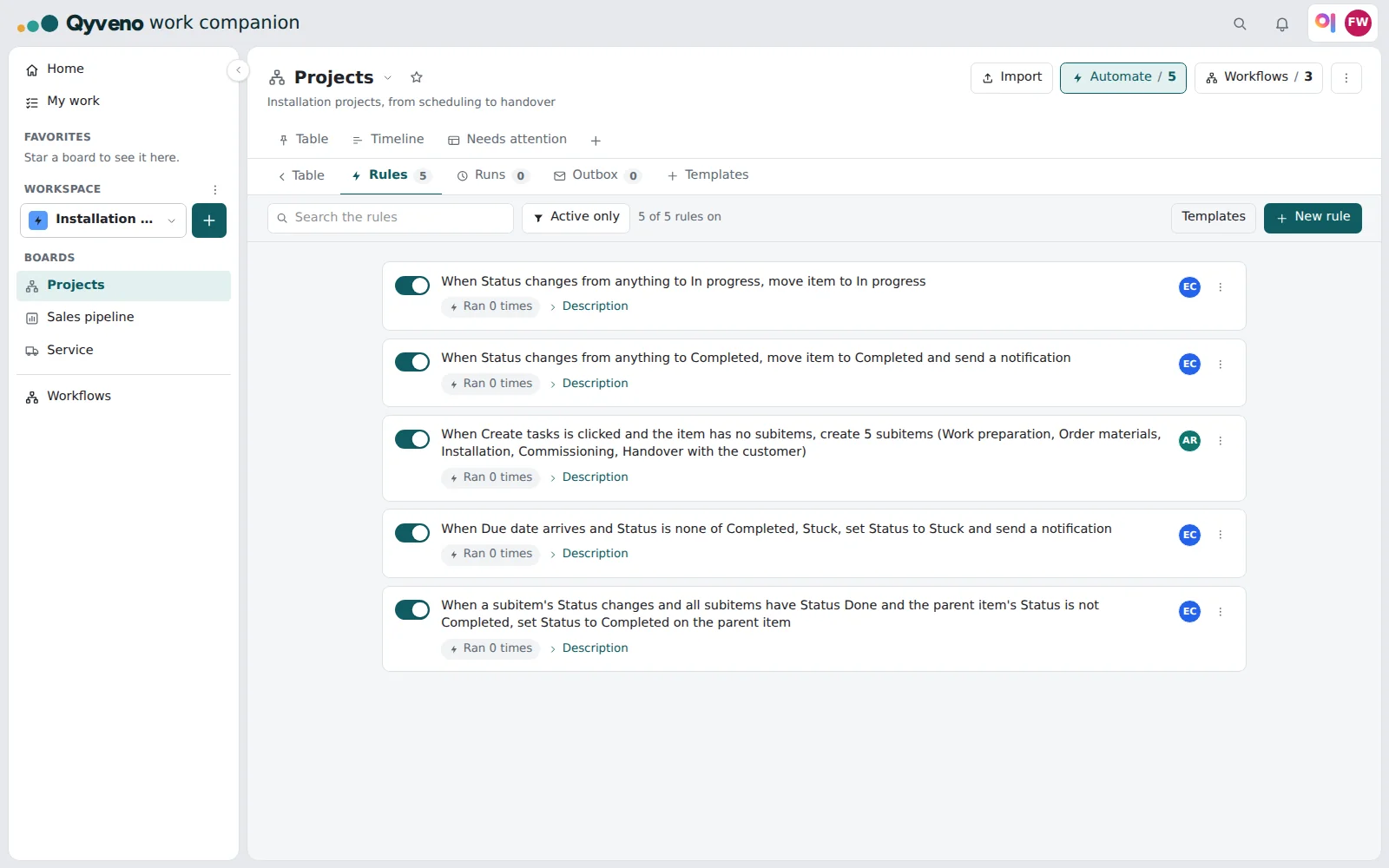
"when the status becomes Done, move the item and send a notification"
Dashboards
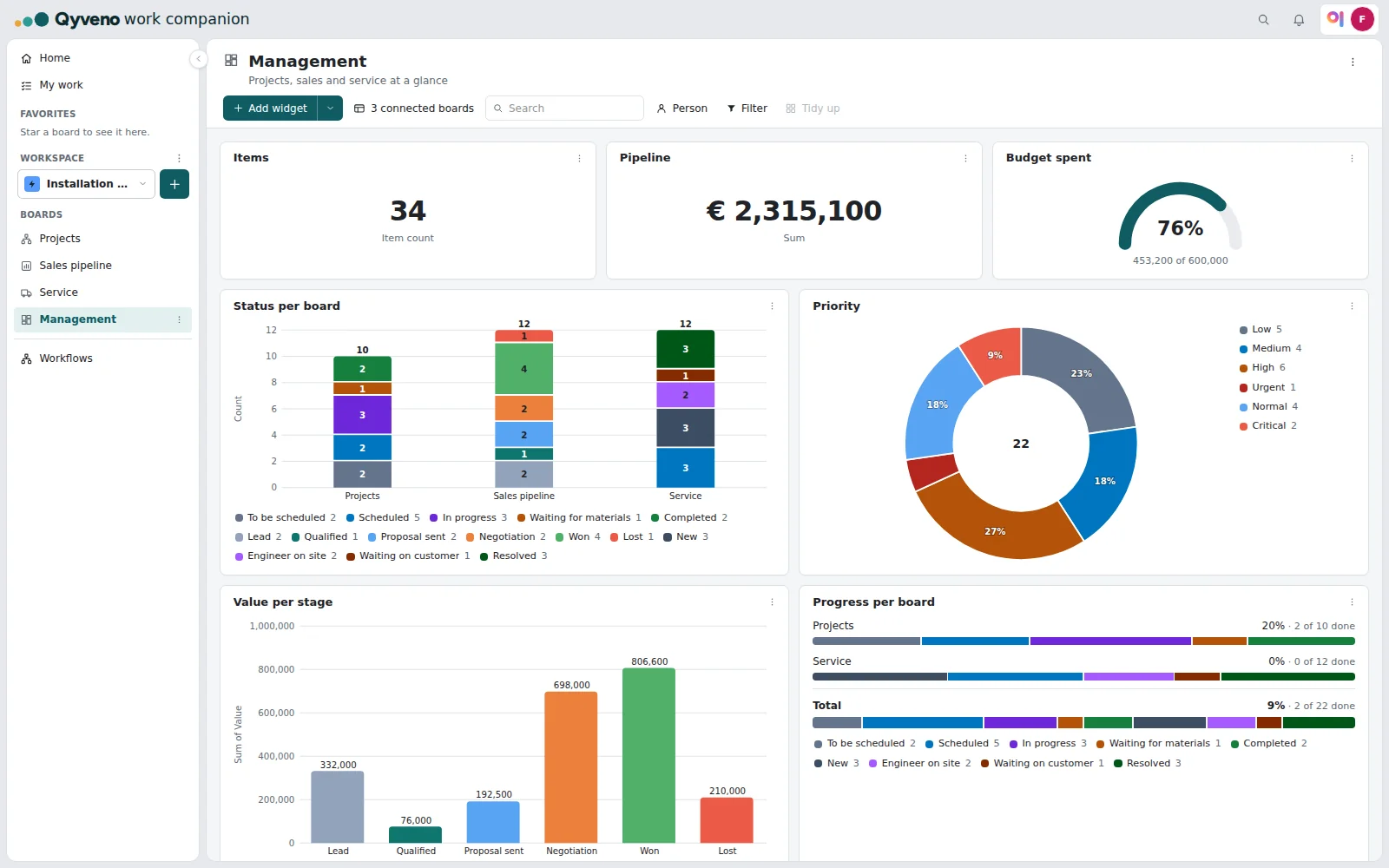
Dashboards you put together yourself: key figures, charts, pies, progress per board, and the workload per person.
Kompaan, your assistant
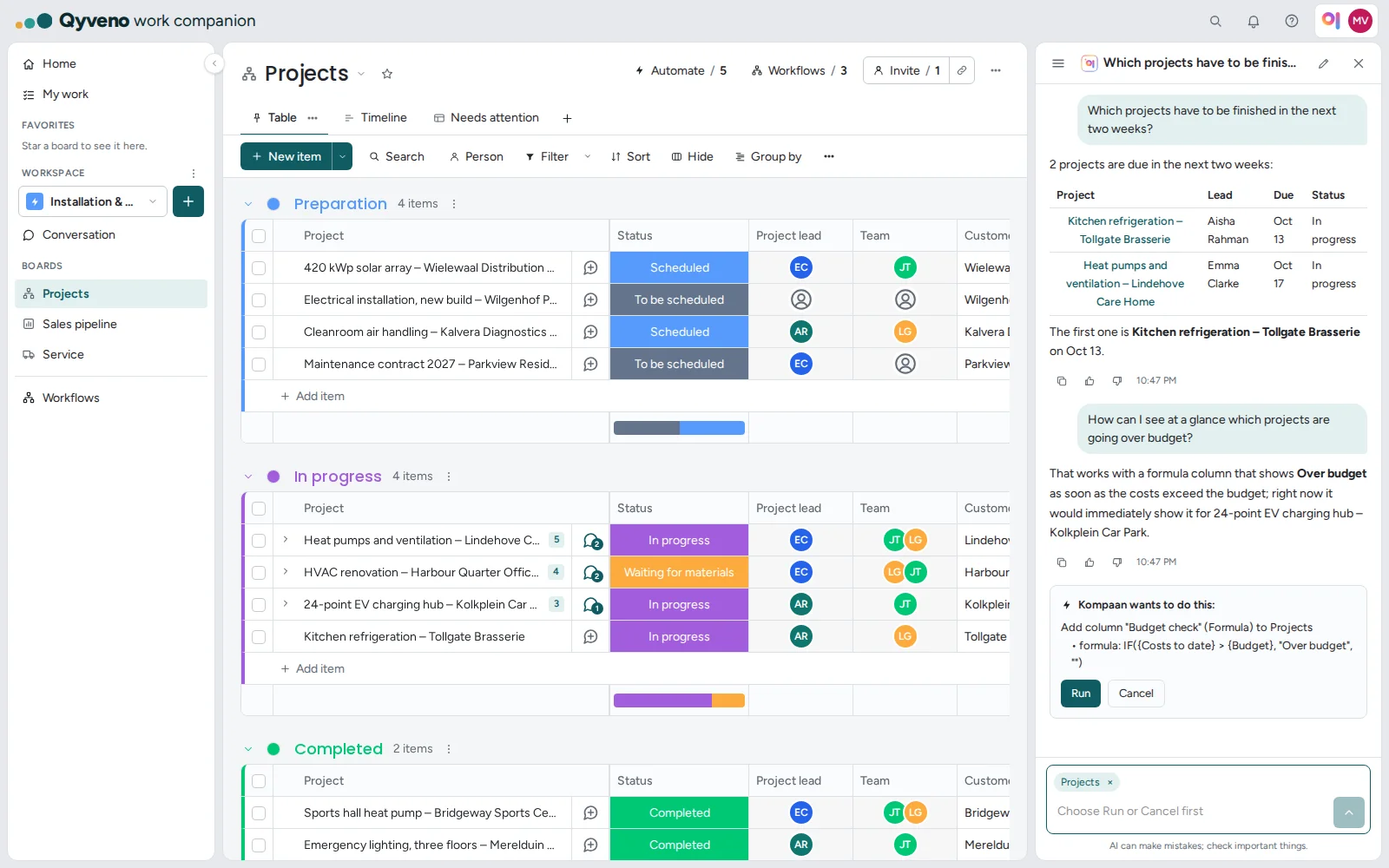
Just ask: "which projects have to be finished in the next two weeks?" Kompaan looks it up in your boards, summarizes updates, explains formulas and prepares changes for you.
- It only sees what you are allowed to see.
- Nothing happens without your click on Run.
- It runs on your own AI account, at Anthropic or Microsoft; during a trial, on Qyveno's.
Forms
Forms that let customers submit a request or report a fault, without an account.
Secure
Permissions per column and two-step verification.
Try Qyveno free for 14 days.
Your own trial environment with sample data, Kompaan included.